FAQ#489 Version9
« Previous - Version 9/12 - Next » - Current version
How do I create a new Genboree Group?
| Category: | Genboree Workbench Basics | Difficluty: |  |
| Assigned to: | - | Due date: | |
| Related issue: | - | Related Message: | - |
| Related version: | - | Valid: | Valid |
Answer
- Go to http://www.genboree.org
- Log in if necessary
- Click on the 'Workbench' tab or directly visit the Workbench http://genboree.org/java-bin/workbench.jsp
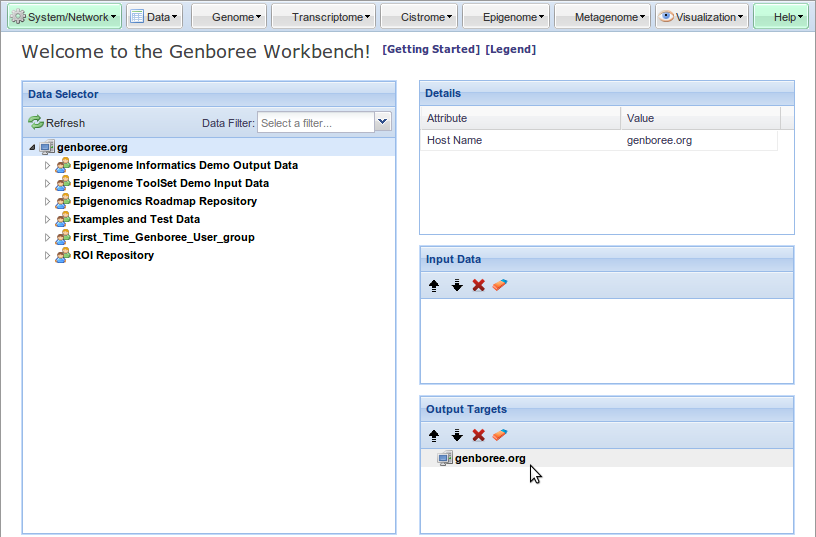
- Drag the Host to the
Output Targets window
- For most users this will be 'genboree.org'
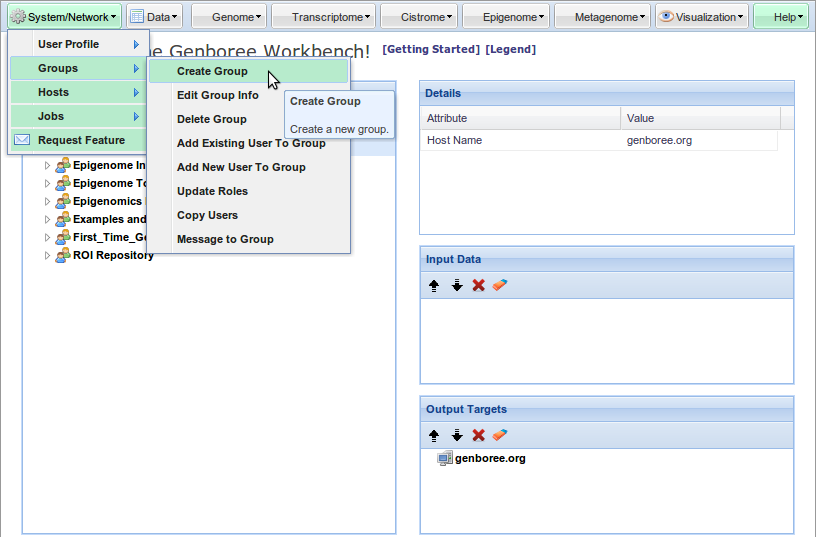
- Select System/Network » Groups » Create Group
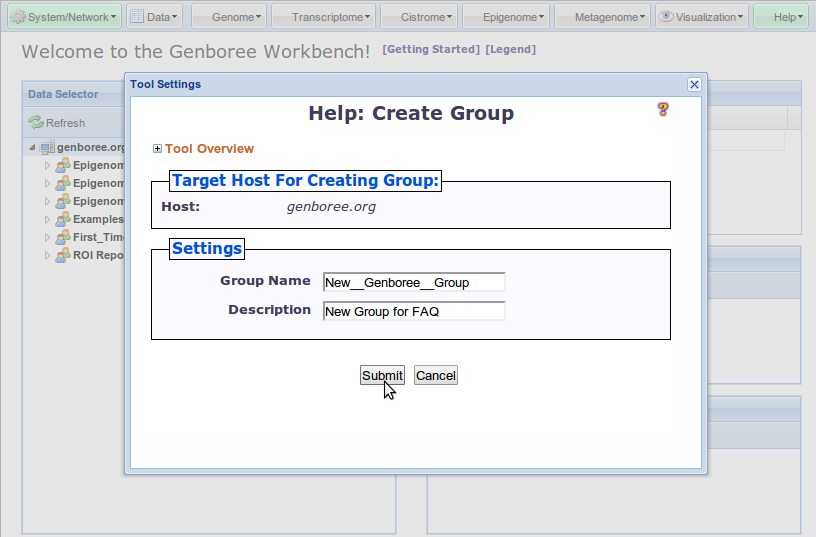
- Enter a Group Name
- Optionally enter a Description
- Click Submit
- Click Refresh to see your newly created Genboree Group in the
Data Selector window

- Log in if necessary
Output Targets window
- For most users this will be 'genboree.org'
- Optionally enter a Description
Data Selector windowDrag the Host to the Output Targets window
Select System/Network » Groups » Create Group
Enter a Group Name, Click Submit
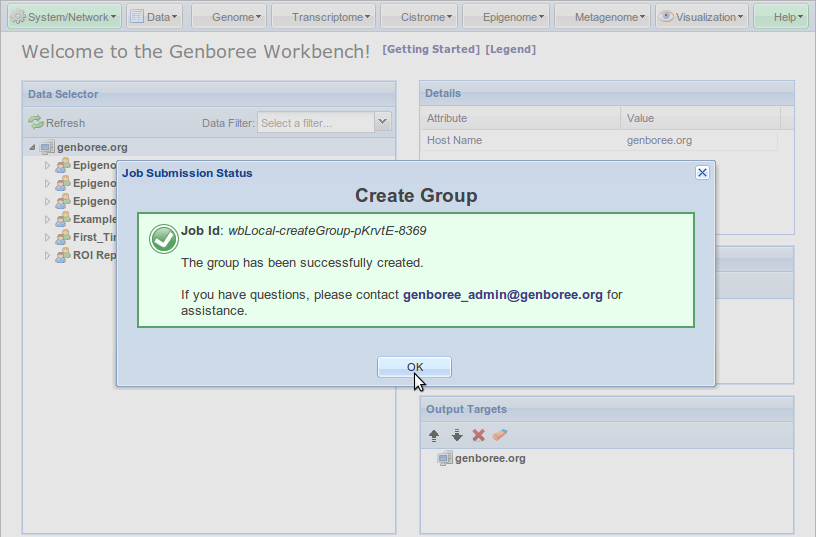
Click OK
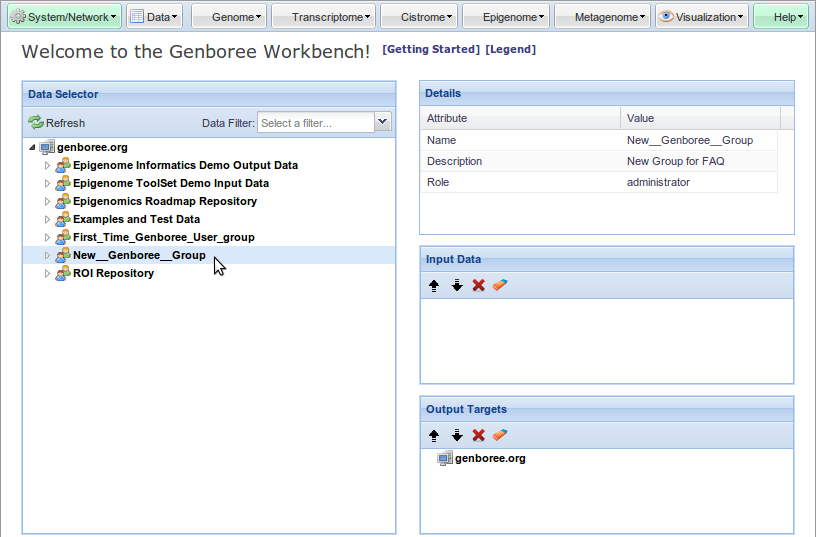
Click Refresh to see your newly created Genboree Group in the Data Selector window
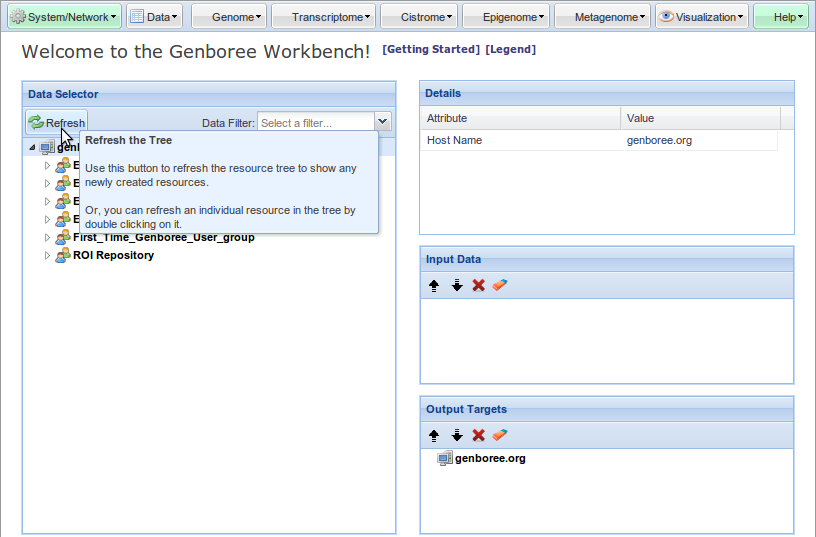
Your new Group is visible in the Data Selector window